Docs / Roblox Games/Custom Gun System
Custom Gun System
Roblox GamesLuaRaycastingFPSCustom Skins
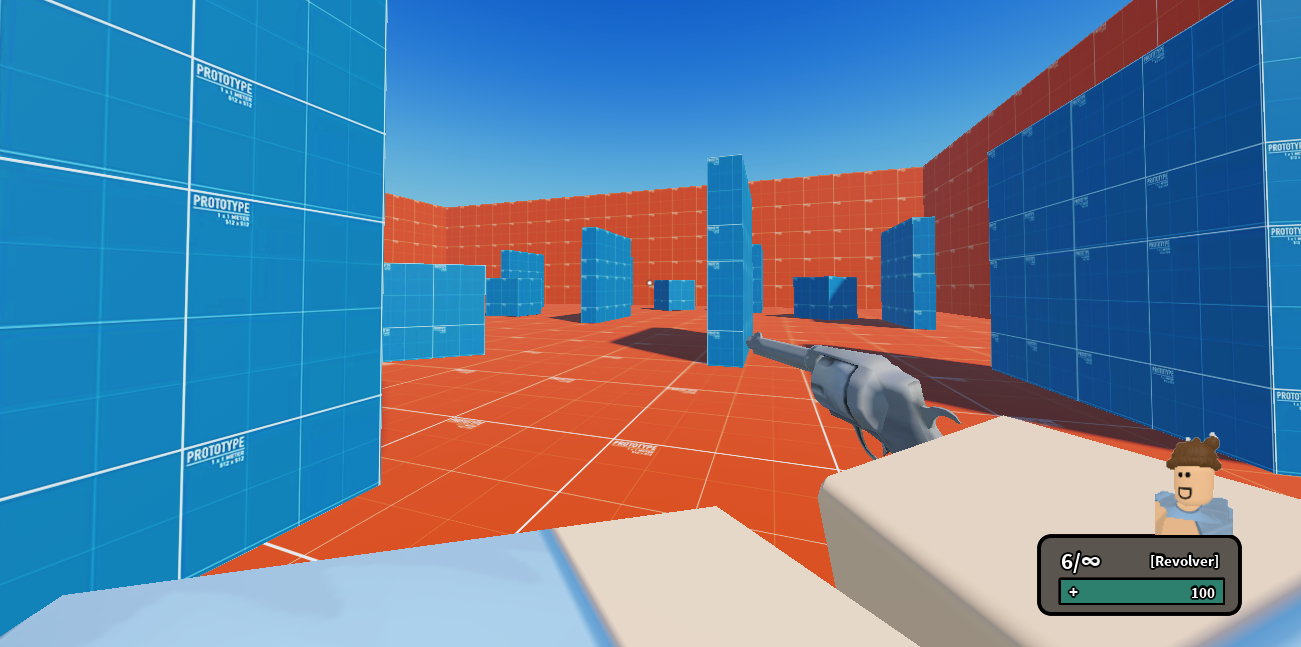
Overview
In my custom gun system, players are given a revolver with their equipped skin, as well as their equipped 'bulletType'. BulletTypes are how the guns are different from each other. They determine how fast a player shoots, how much damage a bullet does, and what effects a bullet has on a shot player. My system includes leaning, ADSing, custom ragdolling, custom blood, Bleedout mechanics, and much more.
Key Systems & Features
- Skin Customization
- Custom Movement system
- Custom bullet system
Code Examples
Below are some code snippets from this project.
Bleeding
LUAlocal function applyBleed(humanoid, stats)
local statusId = getHumanoidStatusId(humanoid)
if not statusId then return end
if activeBleeds[statusId] then
activeBleeds[statusId] += stats.BleedoutBaseLoss
else
activeBleeds[statusId] = stats.BleedoutBaseLoss
local char = humanoid.Parent
local root = char and char:FindFirstChild("HumanoidRootPart")
local player = safeGetPlayer(char)
if player then BleedingOutNoti:FireClient(player) end
task.spawn(function()
while activeBleeds[statusId] and humanoid.Health > 0 and char and root do
humanoid:TakeDamage(activeBleeds[statusId])
if humanoid.Health <= 0 then
RagdollRemote:FireAllClients(char)
end
-- Small blood drips
if BloodRemote then
local dropOffset = Vector3.new(math.random(-1,1)*0.8, -2, math.random(-1,1)*0.8)
local dropPos = root.Position + dropOffset
local bloodHit = Workspace:Raycast(dropPos, Vector3.new(0, -5, 0))
if bloodHit then
BloodRemote:FireAllClients(bloodHit.Position, bloodHit.Normal, true)
end
end
task.wait(1.5)
end
activeBleeds[statusId] = nil
end)
end
endBody-leaning
LUAlocal function applyLocalBodyLean(state)
local torso = Character:FindFirstChild("Torso") or Character:FindFirstChild("UpperTorso")
if not torso then return end
if BodyLeanTween then
BodyLeanTween:Cancel()
end
-- only record baseline once, when first leaning from center
if not OriginalTorsoCF then
OriginalTorsoCF = torso.CFrame
end
local baseCF = OriginalTorsoCF
local goalCF
if state == "Left" then
goalCF = baseCF
* CFrame.Angles(0, 0, math.rad(BODY_LEAN_ANGLE_DEG))
* CFrame.new(-BODY_LEAN_SHIFT, 0, 0)
elseif state == "Right" then
goalCF = baseCF
* CFrame.Angles(0, 0, math.rad(-BODY_LEAN_ANGLE_DEG))
* CFrame.new(BODY_LEAN_SHIFT, 0, 0)
elseif state == "None" then
goalCF = baseCF
OriginalTorsoCF = nil -- reset baseline when fully re-centered
end
BodyLeanTween = TweenService:Create(torso, BodyLeanTweenInfo, {CFrame = goalCF})
BodyLeanTween:Play()
end